
Hamilton County Records Search
The Hamilton County Clerk Records Search is the county's main public portal for adult cases. The menu offers separate search routes. You can search by name, case number, court date, ticket, attorney, judge, classification, lien, and historical records. One office stands behind all of it. The Clerk keeps the official records for Municipal Court. The Common Pleas General and Domestic Relations divisions, and the First District Court of Appeals, sit with that office too. The menu only pays off when the division you pick matches the case you're after. That page lays out each search route and the divisions it covers.
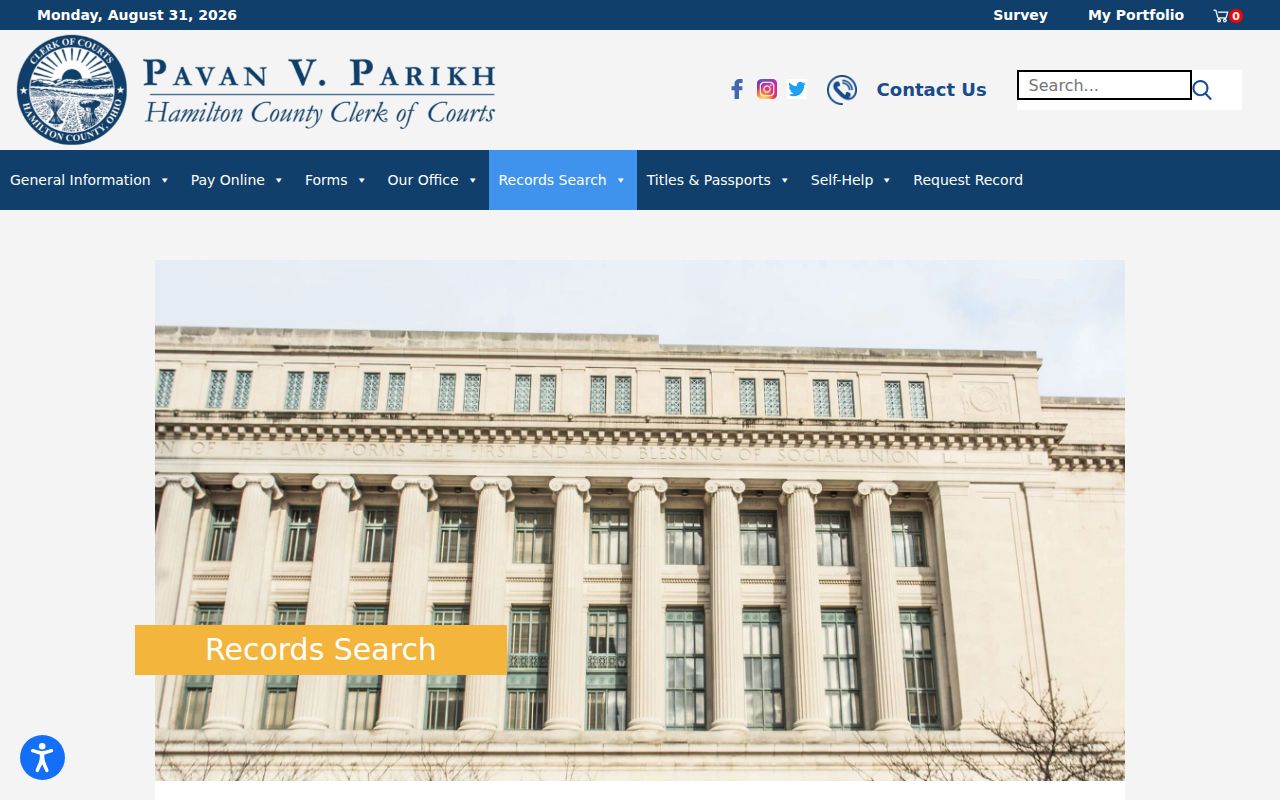
Hamilton County is not a one-court system, and the Clerk's starting screen says so plainly. It lists the selectable divisions side by side: Common Pleas Civil, Common Pleas Criminal, Municipal Civil, Municipal Criminal/Traffic, Domestic Relations, and Court of Appeals. Choosing among them is the first move in any docket search.
Name-Based Case Searches
The Clerk's all-courts name form asks for a last name and first name. A company-name option is offered too. Beginning and ending dates are optional. Want cleaner results? The Clerk's own tip is to type the last name plus the first few letters of the first name. That small trick cuts clutter fast. The criminal and traffic form goes further, adding a date-of-birth field that takes a full date, a month and year, or a year alone.
- Open the official name-search route and select the likely Hamilton County court division.
- Enter the last name and available first-name detail, or use the company-name alternative when appropriate.
- Add a date range only when it will narrow a broad public result.
- Open the matching case summary, confirm the division and caption, then review the case history.
Keep one caution in mind. A name result only points to a public court record, not to a person's identity. Narrow a broad match with the court, the date, or a known case number.
| Field label | Type | Required | Hamilton County use |
|---|---|---|---|
| Division | Checkbox | No | Select Common Pleas Civil or Criminal, Municipal Civil or Criminal/Traffic, Domestic Relations, or Appeals. |
| Last Name | Text | Unspecified | Start with the surname and first few first-name letters. |
| First Name | Text | Unspecified | Use with the last name to narrow results. |
| Date of Birth | Date text | Criminal cases only | Available on the all-courts route for criminal cases. |
| Begin / Ending Date | Date text | No | Optional date limits for a name search. |
Hamilton County Docket Search Filters
Choosing the division is the biggest decision in a Hamilton County docket search. Adult felonies live in Common Pleas Criminal. Higher-value civil matters go through Common Pleas Civil. Municipal Civil handles the lower-value cases. Misdemeanors and traffic tickets belong to Municipal Criminal/Traffic. Domestic Relations and Court of Appeals sit on the menu as separate picks. Whichever court keeps the record you expect is the one to search.
- Common Pleas Criminal
- The Hamilton County division for adult felony records.
- Municipal Criminal/Traffic
- The division for misdemeanor criminal, traffic, and municipal ordinance records.
- Case summary
- The local case header or overview that identifies a selected court record.
- Case history
- The chronological docket or register of actions behind the case summary.
Probate and Juvenile cases stay outside this consolidated adult Clerk interface. Each of those courts has its own access channel, so go there directly when Probate or Juvenile is the court named on the matter.
Hamilton County Broad Name Searches
A common surname can pull up several Hamilton County matches. Hits from the wrong division show up too. Start narrow. Pick the likely court and add optional dates instead of leaving every division selected. When the court type is a mystery, the all-courts route can surface a candidate record. But read the returned caption, division, and case number before trusting a history or schedule. Once a case number turns up, switch tools. A known number beats repeating a broad name query every time. The Clerk also posts a public warning worth noting. Automated high-volume collection is barred. The service is built for general public access rather than bulk downloading.
Case Number Searches
The official Case Number Search asks for the number. You can check the right division before running it. It's the best route when a citation, notice, or prior filing already names the court. A local prefix offers a helpful hint about which division holds the case. Only the record itself can confirm the match. The number must belong to the court and case family you intend. That page shows the entry fields and division choices the Clerk provides.
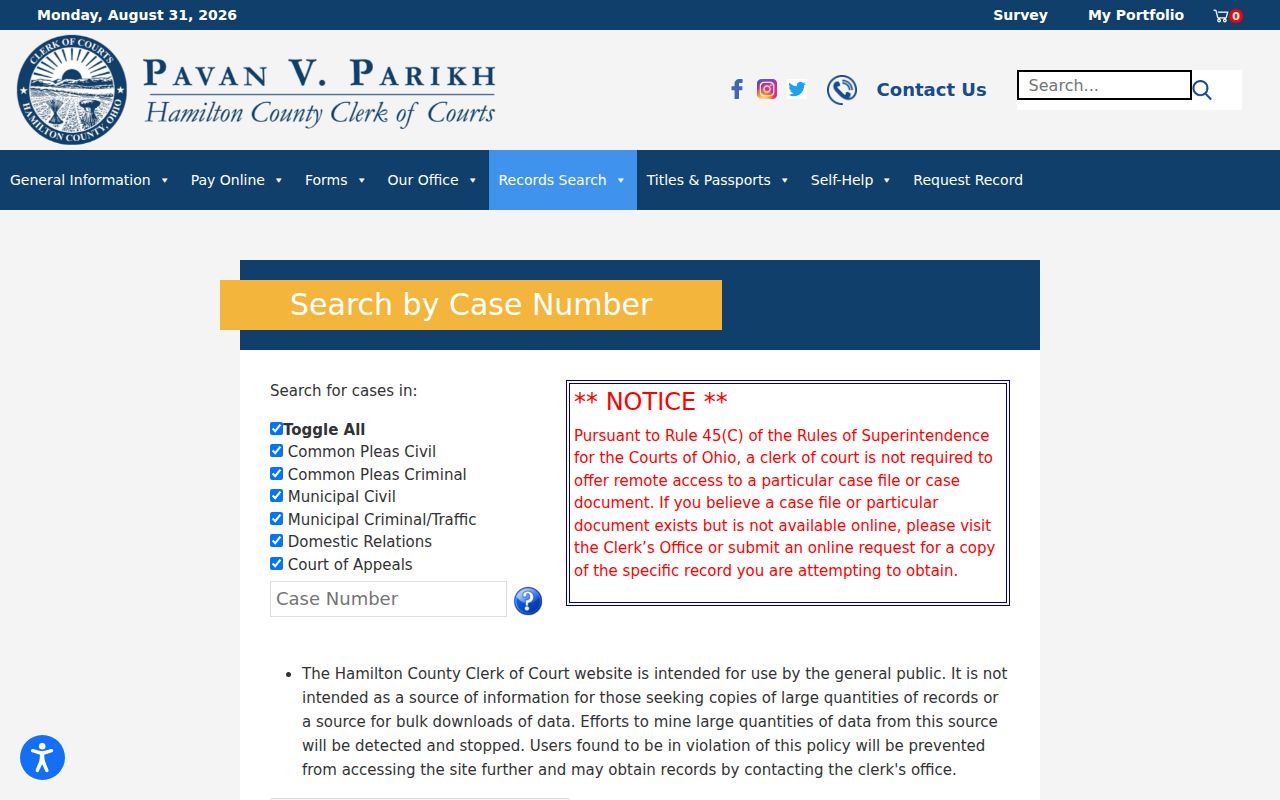
The division list makes the local fork obvious. Even a valid number returns nothing under the wrong Hamilton County division. So give the court selection the same care as the number itself.
Hamilton County Case Prefixes
The Clerk's Document Request Form lists shorthand that helps route a Hamilton County docket search by case family. The letters break down this way. A stands for Common Pleas Civil, B for Common Pleas Criminal, C for Court of Appeals, DR for divorce, and CV for Municipal Civil. Municipal Criminal/Traffic families include CRA, CRB, TRD, and TRC. Treat the prefixes as routing clues only. They are not a formula for building a case number. Never construct or infer one from the letters. Type the printed reference into the case-number field, choose the likely division, and let the returned summary confirm the court.
Case Search Results Explained
A Hamilton County result opens several doors, and the public display keeps them distinct: a case summary, a case history, a court-date schedule, and eligible document information. Each piece does its own job. The summary identifies the case. The history logs dated filings and events, the schedule tracks the current setting, and a document link or indicator may fall under the court's remote-access rules.
| Case number and division | The local court file reference and the Clerk division that keeps it. |
|---|---|
| Caption or public parties | The public case label or party-role information displayed for the record. |
| Case type and status | The recorded classification, filing date, and available current status field. |
| Case history | Chronological entries with dates and descriptions, sometimes sortable by date range and order. |
| Schedule or documents | Current setting information and eligible document indicators, which may be restricted or unavailable remotely. |
Found the file and need the next hearing? Use the separate Court Schedule channel instead of assuming an old history entry is still the live date.
Hamilton County Court Date Routes
Once you have the case, Hamilton County's Court Date menu helps you see what is actually coming up. Search paths cover case number, attorney, public parties, and court or judge. There is also a Court Hearing Information route. Its touchscreen kiosks display seven days of Municipal and Common Pleas criminal and civil schedules. A walk-in visitor can view the near-term calendar without digging through a docket entry by entry.
Sometimes a result shows no clear date. In that situation, call the division that handles the case type. Common Pleas Assignment takes felony settings. Municipal criminal, traffic, and civil matters each have their own Clerk and assignment channels. Remember that an old docket line may only mark a past event. The live date comes from the current schedule and the assigned court.
Two Ways to Search: County and State
Ohio has no single statewide public docket lookup for its trial courts. The Ohio Supreme Court eStats system tracks court statistics, not individual cases. The Clerk Records Search handles Hamilton County adult cases. It is the public route that actually returns court records. Statewide resources cannot replace a county case search. They fall short when you need a court file or a current setting.
| Ohio statewide resource | Hamilton County Clerk search |
|---|---|
| eStats provides court-reported statistics and dashboards. | Records Search locates county adult court case summaries, histories, and schedules. |
| Not a unified public trial-court case lookup. | Uses court-division filters for local cases. |
| Useful for statistics context. | Useful for a known county case, name, number, or date route. |
Even inside Hamilton County, the courts stay separate. Probate runs its own docket interface, Juvenile keeps its own records channel, and Mayor’s Courts may start a case in a city system instead.
Hamilton County Document Images
Not every search result lets you view the filing itself. Ohio's Rules of Superintendence do not require remote access to every court record or document. Hamilton County Municipal Rule 9.16 spells out what is excluded from remote view. Traffic tickets, criminal warrants, certain bond and police materials, transcripts, and other sensitive records are on that list.
The case history names a filing you need. Write down the case number, the document description, and the entry date. The Clerk's request-record instructions then step in. They tell you how to make a descriptive request or visit the right counter. A missing image just sends the request another way. It is not proof the record does not exist.
Hamilton County Probate Search
Do not look for probate matters in the Clerk Records Search. That system does not cover them. Hamilton County Probate Court runs its own Court Records Search. It is an index that can lead to case detail, docket information, and PDF images where available. Pick the portal that matches the named court, not the general subject of the case.
Juvenile Court likewise uses a separate records channel. Knowing these boundaries matters. A silent adult Clerk search settles nothing. It is not a countywide answer for every Hamilton County court docket.
Which Cases Stay Restricted
Public access has limits. Some records stay out of view. Sealed records, confidential filings, juvenile matters, and anything restricted by rule or court order may not appear in an ordinary Hamilton County result, or may appear with less detail. The search result itself cannot tell you why a document is unavailable. Court rules and the division involved decide whether an added request or order is required.
For adult criminal sealing, the Clerk points to local guidance tied to R.C. 2953.32. Juvenile sealing follows a different law. Never assume a missing record was sealed, expunged, or erased. Confirm with the court that maintains it. Draw no conclusion before that.
Hamilton County Bulk-Use Warning
The Clerk’s public name-search notice is blunt about purpose. The service exists for general public access, not bulk downloading. Automated high-volume collection may be stopped. So use the portal the way it was built: locate a particular court record, confirm a court division, or follow a known case in the Hamilton County docket rather than grabbing large result sets.
Focused searching also works better. Start with one local court division. Narrow a broad name with the available fields, and request a precise document only after the case history identifies it.