
How the Hamilton County Court Calendar Works
Hamilton County does not run one all-purpose calendar. Several date channels overlap instead. The Clerk Records Search offers Court Date options by case number, attorney, public parties, and court or judge. Local Rule 9.16 describes calendars that may be searchable by case number, party, attorney, judge, room, and time. So the result you get depends on what you already know about the case.
Keep the schedule separate from case history. A history preserves dated events, including past settings. A schedule confirms only the active one. When the two conflict, the court tells users to verify with the court, clerk, or assignment office rather than assume an earlier docket line still controls.
Division structure shapes the calendars too. Common Pleas and Municipal cases can have different staff contacts, courthouse locations, and timing tools, even for the simple question of when to appear. A citation, prior notice, or case number is the best bridge from a general calendar search to one specific courtroom. Court information changes with the case, so the individual case document stays important alongside the public lookup.
Hamilton Court Date Confirmation Chain
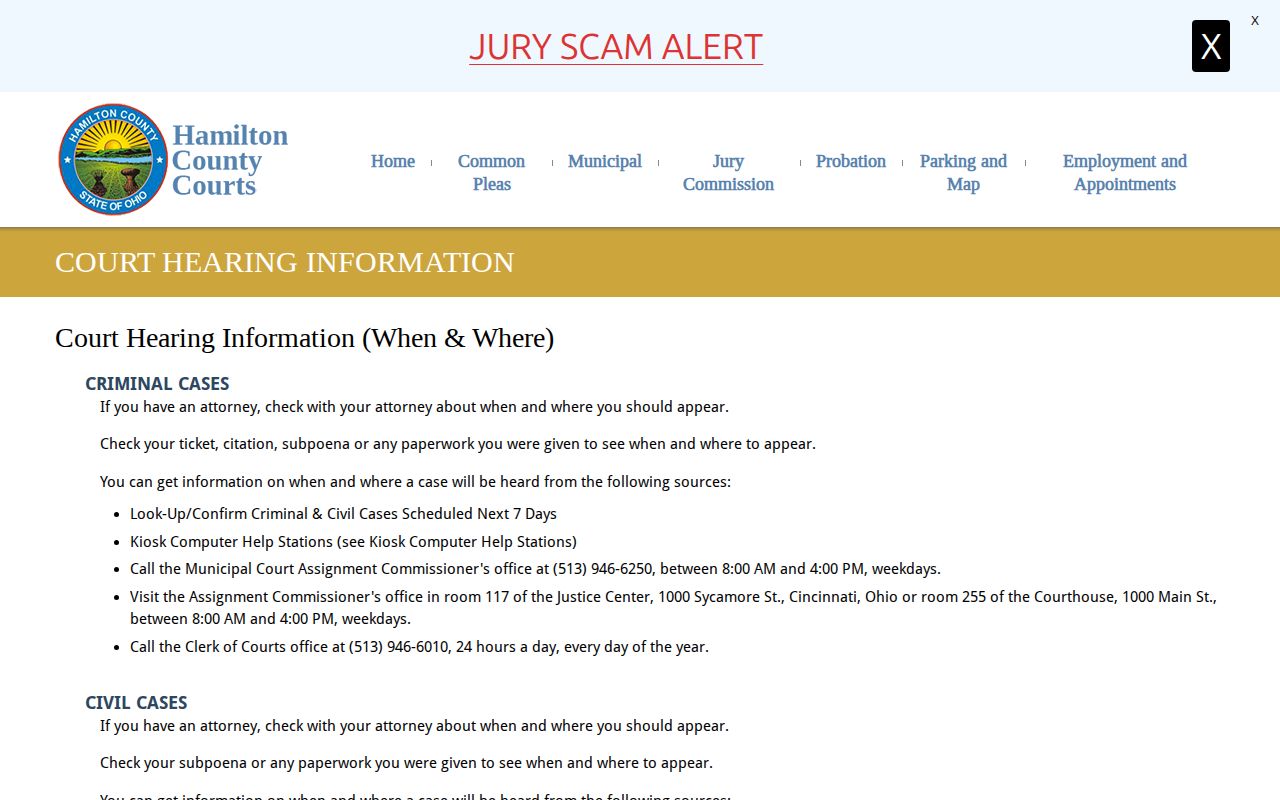
The Court Hearing Information route gives Hamilton County a clear confirmation sequence. Start with the ticket, citation, subpoena, notice, or prior court document. Next, check the online schedule or kiosk. If the setting still is not resolved, call the named division, assignment office, or courtroom. Have the case reference ready. That way an incomplete web result never becomes the final answer.
| Case type | Useful confirmation channel | Named local fallback |
|---|---|---|
| Common Pleas felony | Case schedule or kiosk | Common Pleas Assignment, 513-946-5930 |
| Municipal criminal or traffic | Case schedule or kiosk | Municipal Criminal Clerk, 513-946-6010 |
| Municipal civil | Case schedule or kiosk | Municipal Civil Clerk, 513-946-5700 |
The official sites give two different Municipal Assignment numbers in their guidance. When you call, give the office the case number and confirm the current contact information.
Hamilton County Court Date Lookups
A known case number is the most direct schedule key. Hamilton County also lets you search by attorney, public parties, and court or judge. With only a name, first use the Docket Search route. That route finds the case number and division. Then return to the Court Date menu. That two-step method beats guessing which calendar fits a broad name result.
- Read the current citation, subpoena, notice, or prior court document for the case number and named court.
- Use the Clerk’s Court Date menu and select the available route that matches the information in hand.
- Check the court, judge, room, date, time, and setting shown in the returned schedule.
- If the result is missing or conflicts with paperwork, use a kiosk, the clerk counter, or the division’s assignment channel to confirm it.
For a near-term setting, write down the returned date and court. That result does not replace instructions the court sends you directly.
Hamilton Courthouse Kiosk Calendar
Court Hearing Information lists free touch-screen Kiosk Computer Help Stations at both ends of the Courthouse main entrance, near the elevators and outside Room 255. The kiosks display criminal and civil schedules for the next seven days across Municipal and Common Pleas courts. They offer a handy no-login option when an online schedule is unavailable.
The seven-day limit matters. A kiosk can confirm an upcoming appearance, but it cannot answer for a date outside that window or replace the case-history record. For anything beyond a week, ask the specific division.
The Courthouse sits at 1000 Main Street in Cincinnati. The Clerk and court keep several nearby counters and offices, so verify the named division before you travel.
Court Settings: What Each Field Means
A schedule entry is a snapshot of one planned court event. Hamilton County's public calendar inventory helps identify several fields. These include the case reference, public case or party label, date, time, court or judge, room, and setting. Not every item shows up in every public result. Sensitive case information may also be limited. Still, the field names tell you what to check before a court appearance.
| Case reference | Case number or public case label that identifies the calendar entry. |
|---|---|
| Date and time | The scheduled appearance information, not necessarily a prior docket date. |
| Court or judge | The division, assigned court, or judge connected to the setting. |
| Room or courtroom | The local location field used with the court and building information. |
| Setting | The scheduled event type, such as arraignment, pretrial, hearing, or trial. |
A setting is not a case disposition. It says when an event is scheduled; the case history records what has been filed or occurred.
Hamilton Court Schedule Access Channels
Hamilton County offers several ways to reach a current court setting. Each channel has a different strength. The Clerk's online schedule is the direct search route. The Courthouse kiosks give a no-login check for the next seven days. Division counters and Assignment offices supply the local confirmation path. Use them when the online result is missing, unclear, or at odds with a current notice.
| Hamilton County channel | Best use | Important limit |
|---|---|---|
| Clerk Court Date search | Find a setting by case number, public parties, attorney, or court and judge. | Confirm a disputed or unclear result with the court or division office. |
| Courthouse touch-screen kiosks | Check Municipal and Common Pleas criminal or civil schedules without a login. | The display covers the next seven days. |
| Clerk counter or Assignment office | Confirm a division-specific setting with the case number in hand. | The caller or visitor must route the question to the correct court division. |
The documented locations show the division split clearly. Municipal Criminal/Traffic service sits at the Justice Center. Common Pleas Civil and Criminal, along with Municipal Civil, have separate Courthouse counter paths. A calendar result works best when paired with the court division named on the case record.
Hamilton Calendar Search Routes
The Clerk's Court and Judge Schedules route complements the case-number schedule route. Use it when the court or judge is known. The case-number route fits one identified file. Attorney and public-party schedule searches add more paths. Each route serves a different starting fact, not a different standard for the current date.
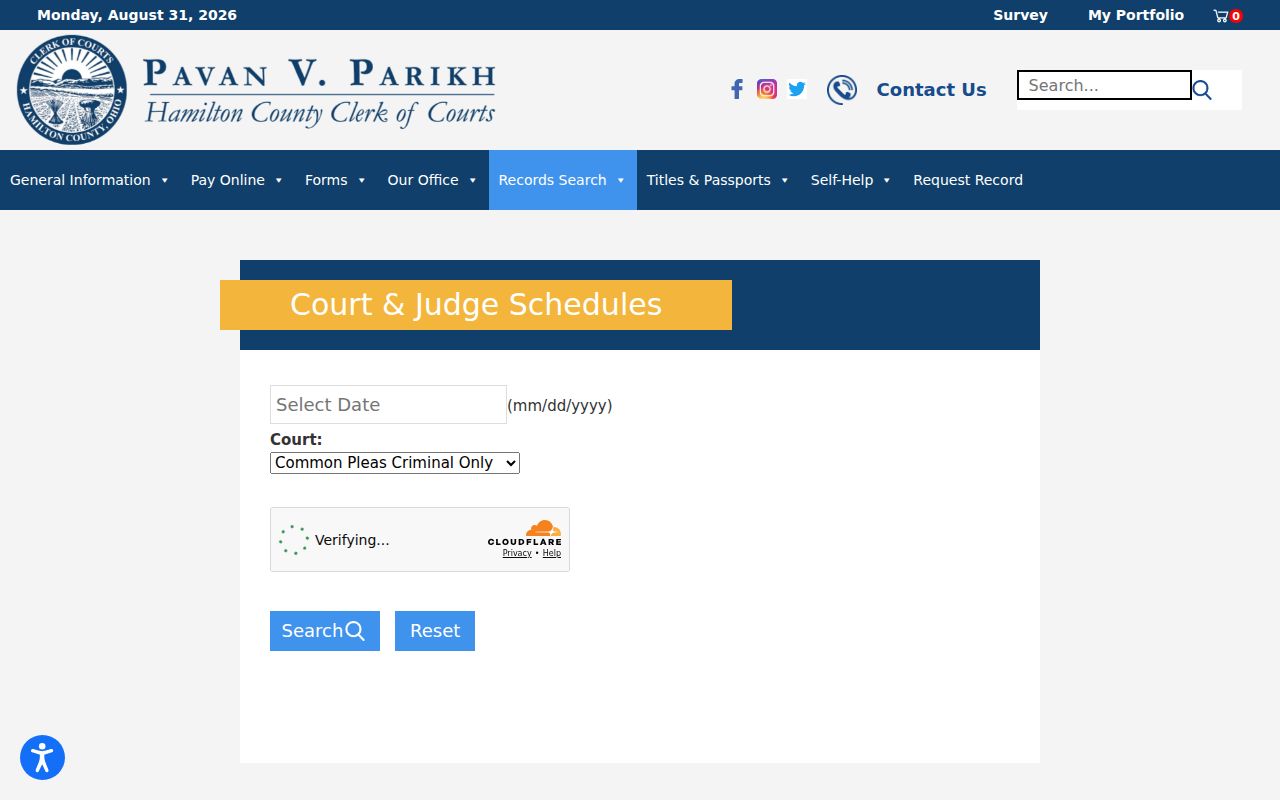
Hamilton County's calendar tools let you search by court, by date, or by judge. The menu choices shift over time. Trust the live form rather than a menu value you remember from an earlier visit. Schedules here split by court. Probate runs on its own calendar, and so does Juvenile. A Mayor's Court citation may need the city court first. Then the case moves over to Municipal Court.
When a Court Date Moves
A court date in Hamilton County can move for many reasons. A continuance, reset, or cancellation might show up in several ways. It could be a new case-history entry, a changed calendar event, or a notice mailed by the court. Check the current schedule first. If an old date looks off, call the assigned court and confirm. An earlier setting is useful history. But it does not prove the hearing still happens at that time.
- Setting
- A planned court event shown in the schedule or case history.
- Continuance
- A court-approved move of a scheduled event to another date or time.
- Reset
- A later setting that replaces or changes an earlier calendar event.
- Cancellation
- An event removed from the current schedule, which should be confirmed with the court.
A current date can also differ from an older one. Each calendar tool covers a different window. The kiosk shows only the next seven days. An online case history can reach back much further into the file. For an upcoming hearing, the Hamilton County court-date schedule is the better source. The division contact is the next step when a result seems thin or needs confirmation. Use the calendar, kiosk, and division contact together, since each channel plays a different role.
Hamilton Assignment Commissioner
The Assignment Commissioner sits inside the local calendar chain. It is not a second docket database. For felony settings, the Clerk FAQ lists Common Pleas Assignment at 513-946-5930. Court Hearing Information sends Municipal users to assignment offices in Justice Center Room 117 or Courthouse Room 255. Online and kiosk channels are listed too. Staff there can confirm a setting once you have the court division and case number.
Municipal Criminal/Traffic clerk service sits at the Justice Center, 1000 Sycamore Street. The Clerk lists a 24-hour line at 513-946-6010. Municipal Civil keeps its counter in Courthouse Room 115. These lines matter. A calendar question belongs with the office that holds that division's record.
The assignment route works best once you know the case number. It helps when the schedule display looks incomplete. Give staff the division, the case number, and the date on your notice or history. That lets them tell a question about an old docket entry apart from one about an upcoming setting. It also keeps a civil question away from a criminal counter. And it keeps a felony question away from the Municipal calendar channel.
Missed Settings and What Comes Next
Miss a Hamilton County setting? Act fast. Contact the court or clerk right away. Start by confirming the case number, the court division, and the current schedule. Then use the division's listed phone or counter, or call counsel if you have one. That is how you learn what the court ordered. An online result alone will not tell you whether a new appearance has been set.
Missed a setting? A judge decides the response to a missed appearance. Hamilton County’s official materials describe possible warrant, continuance, bond, or other court action depending on the case and order.
For Municipal cases, the Court publishes failure-to-appear information. It also lists a program contact for some first-time qualifying participants. The program and the court decide who qualifies. So keep your case reference handy and confirm directly.
A clear case reference helps the court find the right setting. Keep the citation or notice with you when you call. Ask which court, room, date, and time now apply. If all you have is an older docket line, say so. The calendar and clerk channels can then show whether a later order or replacement setting has been entered.
Hamilton County's date channels each serve a different need. The public schedule spots an upcoming event. The kiosk confirms a short window. The court or assignment office answers division-specific questions. Working in that order keeps the case reference tied to the court that holds the setting. Recheck a date whenever a notice, an order, or the assigned court gives you newer information.